
Here's a mistake that costs founders six figures: you Google a name, find the .com available, register the LLC, build the brand for six months, and then receive a cease-and-desist letter from a trademark holder you never knew existed. The average opposition proceeding at the USPTO's Trademark Trial and Appeal Board costs $200,000 to $300,000 to litigate. That's the price of not checking.
Learning how to check if a name is trademarked takes about an hour if you know where to look. The problem is that most people look in the wrong places, or they stop after the first search comes back clean. A real trademark check involves 5 steps, starting with the US federal register and working outward to international databases, phonetic variations, and common law usage.
If you're asking "is my name trademarked," this is the process that gets you a reliable answer.
Why "Googling It" Isn't a Trademark Search
Google tells you whether a name appears on websites. A domain registrar tells you whether a .com is available. Your state's business registry tells you whether an LLC name is taken. None of these tell you anything about trademark rights.
A name can be available as a domain, unused on social media, and free as an LLC name in your state, and still be a federally registered trademark in your exact product category. Trademark rights and business registrations are entirely separate systems. Filing a DBA or forming an LLC gives you zero trademark protection, and it gives you zero information about existing trademarks.
This distinction matters because of how the numbers work. The USPTO received over 612,000 trademark applications in FY2025 alone. Only about 55% of applications end in registration; the rest are abandoned or refused, often because of conflicts with existing marks. Many of those failures are preventable with a more thorough search before filing.
If you want to understand the conceptual difference between business name registration and trademark registration in more detail, the guide on whether your business name is already trademarked breaks it down. This article focuses on the how: 5 steps, in order, to check if a name is trademarked before you invest in it.
Step 1: Search the USPTO Trademark Center
Your first stop is the federal trademark register. The USPTO's old search system (TESS) was retired in late 2023 and replaced with a new interface called Trademark Search at tmsearch.uspto.gov.
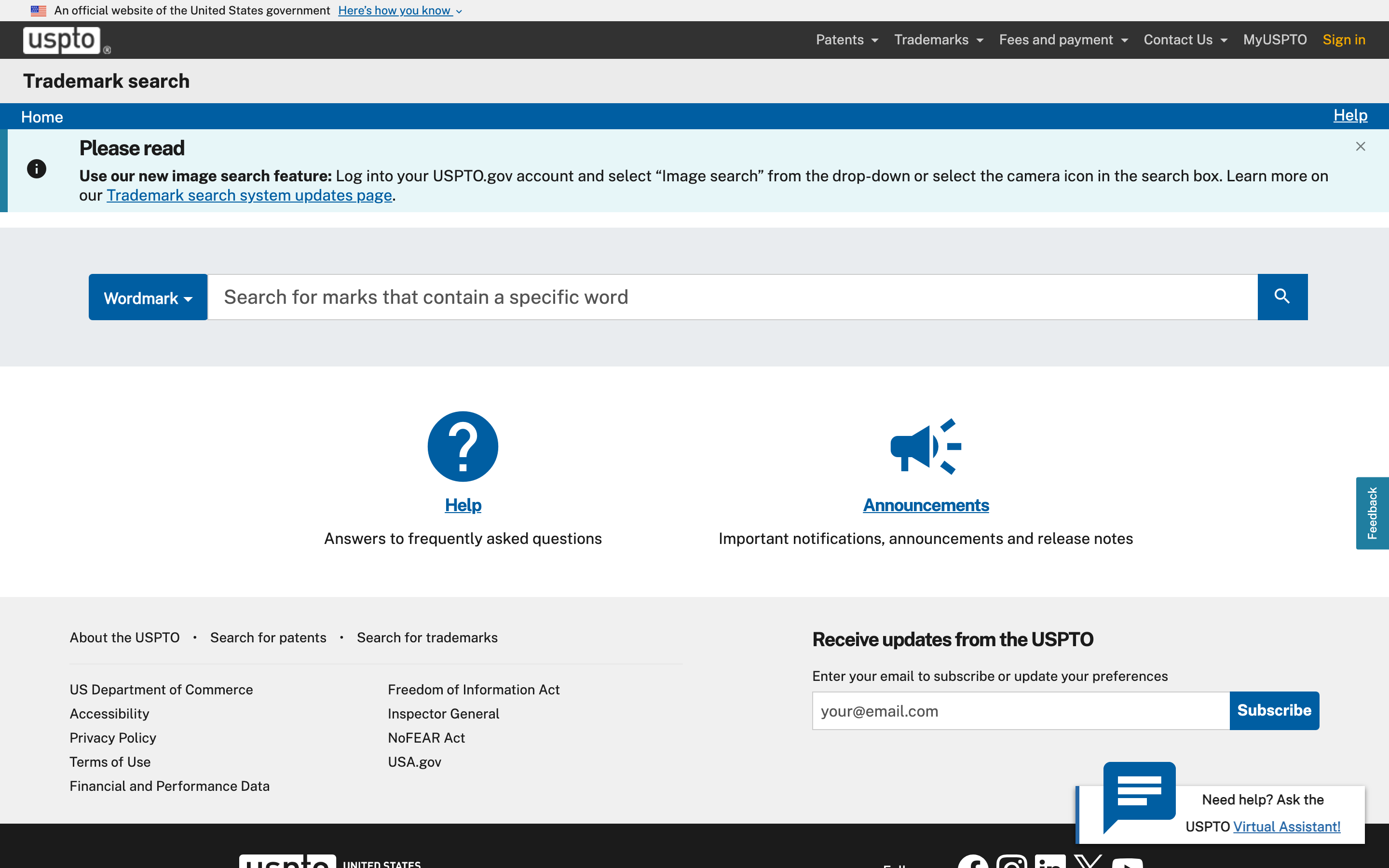
The USPTO's Trademark Search interface at tmsearch.uspto.gov, which replaced the retired TESS system in 2023
Start with the Basic Search. Type your name exactly as you plan to use it. Filter results by status (look for "Live" marks, which are currently active, and "Pending" marks, which are applications still being examined). Scan the results for registrations in product or service categories related to yours.
Three things to look for:
- Live registrations with your exact name or something close to it. These are active trademarks with federal protection.
- Pending applications. Someone has already applied. If their application succeeds, they'll have priority over you.
- Similar marks, not just identical ones. "Brevity" and "Breviti" would likely be considered confusingly similar by a USPTO examiner. Search for obvious variations.
The USPTO database covers US federal trademarks only. That's roughly 11.5 million records. It does not include state registrations, international marks, or unregistered common law trademarks. It's the biggest single source, but it's not the whole picture.
For a detailed walkthrough of how the new search interface works (including Advanced Search and the expert query syntax), see TESS Is Gone: How to Search Trademarks in 2026. That guide also covers a free trademark search approach using multiple databases together.
Step 2: Check International Trademark Databases
Even if your business is US-only, international trademarks can create conflicts. A mark registered through the Madrid Protocol (the treaty system that lets trademark owners file one application covering multiple countries) may designate the United States, giving it enforceable rights here. And if you sell anything online, your market is global whether you planned for it or not.
Two databases to check:
WIPO Global Brand Database (branddb.wipo.int) covers over 70 million records from 73 national and regional offices. This is the broadest free international trademark search tool available. Search your name, filter by Nice class if you know yours, and look for marks that designate the US or countries where you might expand.
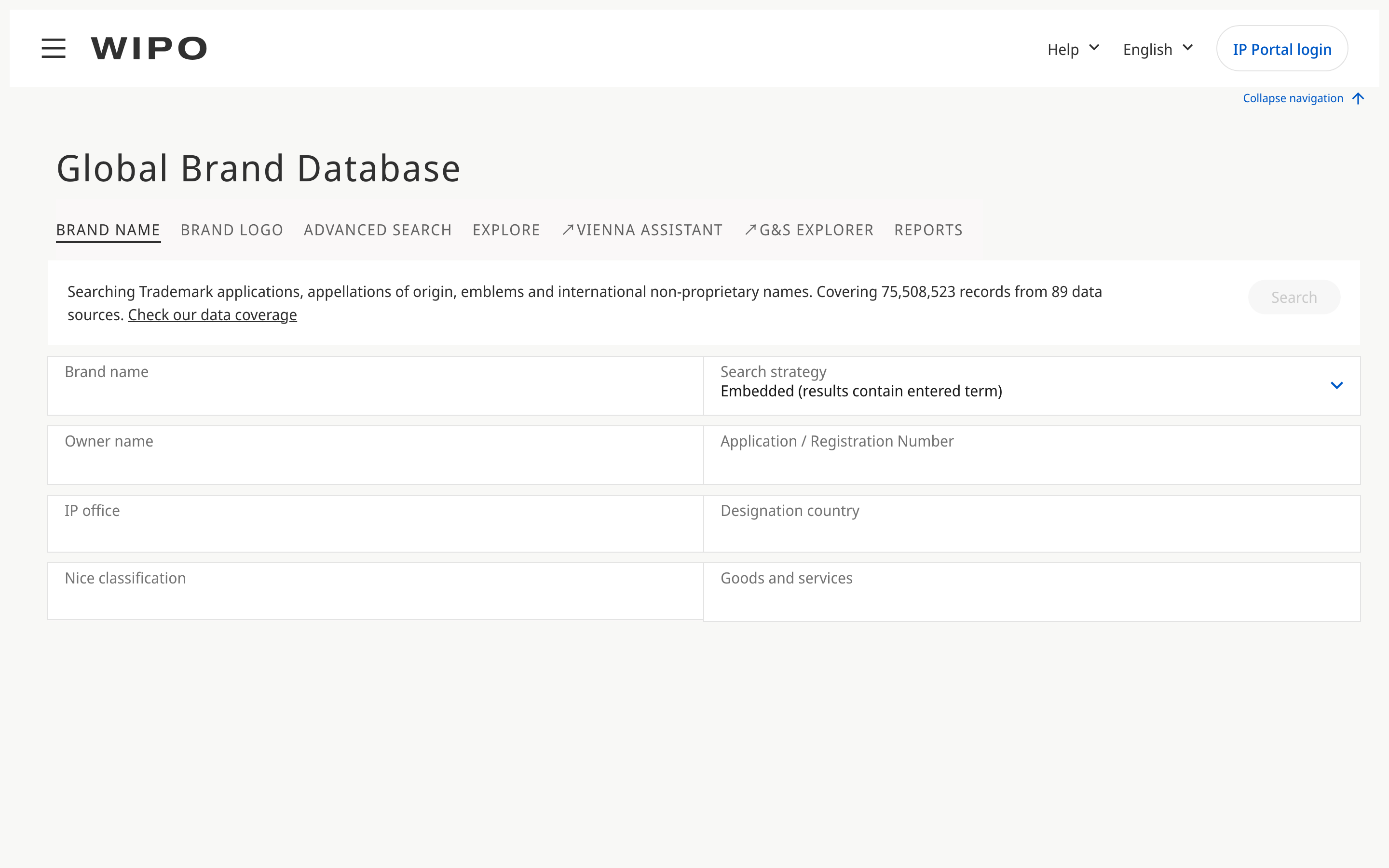
The WIPO Global Brand Database search interface, covering 70+ million trademark records from 73 offices worldwide
EUIPO eSearch plus (euipo.europa.eu/eSearch) covers European Union trademarks. If you're selling into EU markets or plan to, this is essential. EU trademarks cover all 27 member states with a single registration.
The pain here is practical: each database has a different interface, different search syntax, and different result formats. Searching three databases individually for the same name, filtering the results, and cross-referencing takes time. This is a real limitation of the free tools.
Step 3: Search Beyond Exact Matches
Here's where most self-service trademark searches fall short. Trademark conflicts aren't limited to identical names. The legal standard is likelihood of confusion: would consumers encountering both marks be likely to confuse them, or believe they come from the same source?
Likelihood of confusion depends on two factors together: how similar the marks are, and how related the goods or services are. This means you need to think about three types of similarity:
- Phonetic similarity. "Klear" and "Clear" sound identical. "Blu" and "Blue" are the same to the ear. An examiner will catch these even if the spelling is different.
- Visual similarity. "BRAVERY" and "BREVERY" look similar at a glance. Transposed letters, added characters, or similar letter patterns can trigger a conflict.
- Conceptual similarity. "Sunrise" and "Amanecer" (Spanish for sunrise) convey the same idea. Marks that share a meaning can conflict even when they look and sound different.
Which industries matter for your search is determined by Nice classification, the international system that divides all goods and services into 45 classes (34 for goods, 11 for services). Class 9 covers downloadable software. Class 42 covers software as a service. Class 25 covers clothing.
A name registered in Class 25 probably doesn't conflict with your SaaS product in Class 42, but a name in Class 9 might, because downloadable software and SaaS are related in the eyes of examiners.
Here's a concrete example. Suppose you want to launch a project management tool called "Brevity." You'd search for:
- "Brevity" (exact)
- "Breviti," "Brevitee," "Brevidy" (phonetic variations)
- "BREVITY TECH," "BREVITY SOFTWARE" (compound marks)
- Results in Class 9 and Class 42 (your relevant categories)
The Nice Classification developer's guide explains the full class system and which classes tend to overlap.
Step 4: Check State and Common Law Trademarks
Federal registration is the strongest form of trademark protection, but it's not the only kind. In the United States, trademark rights come from use in commerce. A business that has been selling products under a name for years without filing a federal application still has enforceable common law trademark rights in their geographic area.
State trademark databases. Each of the 50 states maintains its own trademark register, separate from the USPTO. These are typically searchable through the Secretary of State's website. Quality varies wildly. Some states have decent search tools; others barely function. A state registration grants rights only within that state's borders, but if you're operating in the same state, it matters.
Common law trademarks. These are the hardest to find because no central database contains them. A business operating under an unregistered name has common law rights from the date they started using it in commerce. To find these, you need to search outside of trademark databases:
- Google the name plus your industry
- Search social media platforms
- Check business directories (Yelp, industry-specific listings)
- Look for active domain names with the brand
Be honest with yourself about the limitations here. A common law search is never complete. You might miss a small business operating under the name in a market you didn't think to search. That's one of the reasons trademark attorneys still run comprehensive clearance searches, with access to databases and search firms that individual searchers don't have.
Step 5: Use a Multi-Office Search Tool
Steps 1 through 4 work. They're thorough. They're also time-consuming. Searching the USPTO, then WIPO, then EUIPO, then running phonetic variations across each database, then doing common law research can take a full afternoon for a single name.
Multi-office search tools consolidate several of these steps into one query. Instead of searching three databases separately, you search once and get results from multiple trademark offices, with multiple matching strategies, in a single view.
Signa's API, for example, searches across USPTO, EUIPO, WIPO, CIPO, and IPOS (14 million+ records across 5 offices) in one call:
curl -X POST https://api.signa.so/v1/trademarks/search \
  -H "Authorization: Bearer $SIGNA_API_KEY" \
  -H "Content-Type: application/json" \
  -d '{
    "mark": {
      "text": "Brevity",
      "strategies": ["exact", "phonetic"]
    },
    "filters": {
      "offices": ["uspto", "euipo", "wipo"],
      "nice_classes": [9, 42],
      "status": "active"
    },
    "limit": 20
  }'
const signa = new Signa({ api_key: process.env.SIGNA_API_KEY });

const results = await signa.trademarks.search({
  mark: { text: 'Brevity', strategies: ['exact', 'phonetic'] },
  filters: {
    offices: ['uspto', 'euipo', 'wipo'],
    nice_classes: [9, 42],
    status: 'active',
  },
  limit: 20,
});

for (const tm of results.data) {
  console.log(
    `${tm.mark_text} [${tm.office_code}] Class ${tm.nice_classes.join(', ')} (${tm.status})`
  );
}
A consolidated result shows you the matching mark text, which office it's registered in, its current status, the Nice classes it covers, and how closely it matches your query (exact, phonetic, or fuzzy). That's the information you'd otherwise gather by searching each database individually and reconciling the results in a spreadsheet.
Signa is one option among several for multi-office search. The point isn't which tool you pick. The point is that consolidating steps 1 through 3 into a single search saves hours and reduces the chance you miss something because you got tired of switching between databases.
Note that no automated tool replaces Step 4. Common law searching still requires manual work, because unregistered marks don't appear in any trademark database.
How to Read Your Search Results
You've run your searches. Now you have a list of results. Here's how to interpret them.
Dead or expired marks. A trademark listed as "dead" or "cancelled" in the USPTO database is no longer an active registration. In most cases, you can proceed, but check why it died. A mark cancelled for non-use is different from one that was involved in a legal dispute. And the former owner may still have common law rights if they're continuing to use the name in commerce without maintaining their registration.
Pending applications. These are trademarks someone else has applied for but hasn't yet received. A pending application means someone is ahead of you in the queue. If their application succeeds, they'll have priority. You can still file, but you'd be taking a risk that their application might create a conflict with yours during examination.
Different Nice classes. Finding the same name in a different class is usually not a problem. "Delta" coexists as an airline (Class 39), a faucet brand (Class 11), and a dental insurance company (Class 36). The system is designed to allow this. What matters is whether consumers in your market would be confused. Identical names in unrelated industries rarely create confusion.
Similar (but not identical) marks. This is where judgment matters. If you found "Breviti" registered for software and you want to use "Brevity" for a software product, that's a potential conflict. How similar is similar enough? The answer depends on the specific marks, the specific goods, the channels of trade, and the sophistication of the buyers. This is exactly the kind of question a trademark attorney is trained to evaluate.
When to involve an attorney. If your search turned up any live marks that are close to yours in the same or related Nice classes, get a professional opinion before filing. The cost of a trademark attorney's clearance opinion ($500 to $2,000 typically) is a fraction of the cost of an opposition proceeding ($200,000 to $300,000) or a forced rebrand.
The Cost of Checking vs. Not Checking
Consult a trademark attorney for legal guidance specific to your situation. The framework above describes general patterns, but your specific facts matter.
What to Do After Your Search
Your search results point to one of three paths.
Clear results. No live or pending marks that are confusingly similar in your relevant classes. You can move forward with a trademark application. A single-class USPTO application costs $250 (TEAS Plus) or $350 (TEAS Standard), and the examination process takes 8 to 12 months from filing to registration. For a full walkthrough of what happens after you file, see how trademark registration works. For the step-by-step filing process, see the guide to trademarking a name. For a full breakdown of fees, see how much a trademark costs.
Conflicts found. You have options: assess the severity (different class? different geography? dead mark?), consider modifying the name to create distance, or consult an attorney for a formal risk assessment. Not every conflict is a dealbreaker. But ignoring a real one is the most expensive option.
Grey area. Some results are ambiguous. A similar-sounding mark in a related but not identical class. A dead registration where the former owner might still be using the name. For these situations, document your search thoroughly: screenshots, search parameters, dates, and results. This documentation can support a "good faith" defense if you're ever challenged.
Whatever the outcome, consider setting up trademark monitoring after you launch. A name that was clear today might face a new application tomorrow. The USPTO receives roughly 1,700 new applications every day. Monitoring catches conflicts early, when they're cheapest to address.
Try searching for your name using Signa's free trademark search at signa.so. It covers USPTO, EUIPO, WIPO, CIPO, and IPOS in one search.
Signa provides trademark data and search tools for informational purposes. For legal advice on trademark clearance, filing, or disputes, consult a qualified trademark attorney.