
The most common WIPO trademark search mistake: you find your brand name in the Global Brand Database with a status of "active," see it covers 15 countries, and assume someone owns it in all 15. They might not. WIPO registers international trademarks, but each designated country decides independently whether to grant protection. A mark can be active at WIPO and refused in the three countries you actually care about.
The flip side is just as dangerous. You search WIPO, find nothing, and assume you're clear internationally. You're not. The Global Brand Database holds 28 million records from 89 collections, but it doesn't cover purely national marks. A brand registered only at the UK's IPO, Canada's CIPO, or EUIPO won't appear in a WIPO search unless it was also filed through the Madrid System.
This guide walks you through the Global Brand Database step by step, from running your first search to reading the results correctly. You'll learn how to check whether designations were actually accepted, what the Madrid Protocol means for your search strategy, and where the database falls short.
What the WIPO Global Brand Database Covers
The World Intellectual Property Organization (WIPO) maintains the Global Brand Database at branddb.wipo.int. It's free to search, requires no account, and holds over 28 million records from 89 national and regional collections.
The core of the database is the Madrid System for international trademark registration. The Madrid Protocol lets you file one application through WIPO that covers multiple countries (up to 131) without filing separately in each one. Currently, 915,034 international registrations are active, with 7,325,670 active designations across all member countries. The Madrid System has 115 members (contracting parties) covering 131 countries and approximately 82% of the world's population.
Half of all international registrations ever filed through the Madrid System remain active today. That's a lot of potential conflicts.
Beyond Madrid registrations, the Global Brand Database includes:
Lisbon System appellations of origin. Geographic indications like "Champagne" or "Roquefort" protected through WIPO's Lisbon System.
Article 6ter state emblems. Flags, emblems, and official signs of states and international organizations protected under the Paris Convention.
Participating national office data. Some national offices contribute their own trademark data to the database. This adds breadth, but coverage varies by office and isn't exhaustive.
What the database does not cover: purely national marks from offices that don't participate. If a brand is registered only at the USPTO, or only at Germany's DPMA, it won't appear in the Global Brand Database unless it was also filed through the Madrid System. This is the most important limitation to understand. A clear WIPO search is not an international all-clear.
How to Run a WIPO Trademark Search (Step by Step)
Go to branddb.wipo.int. The interface loads with a search form where you can enter a brand name, select a search strategy, and filter by office, designation country, Nice class, and more.
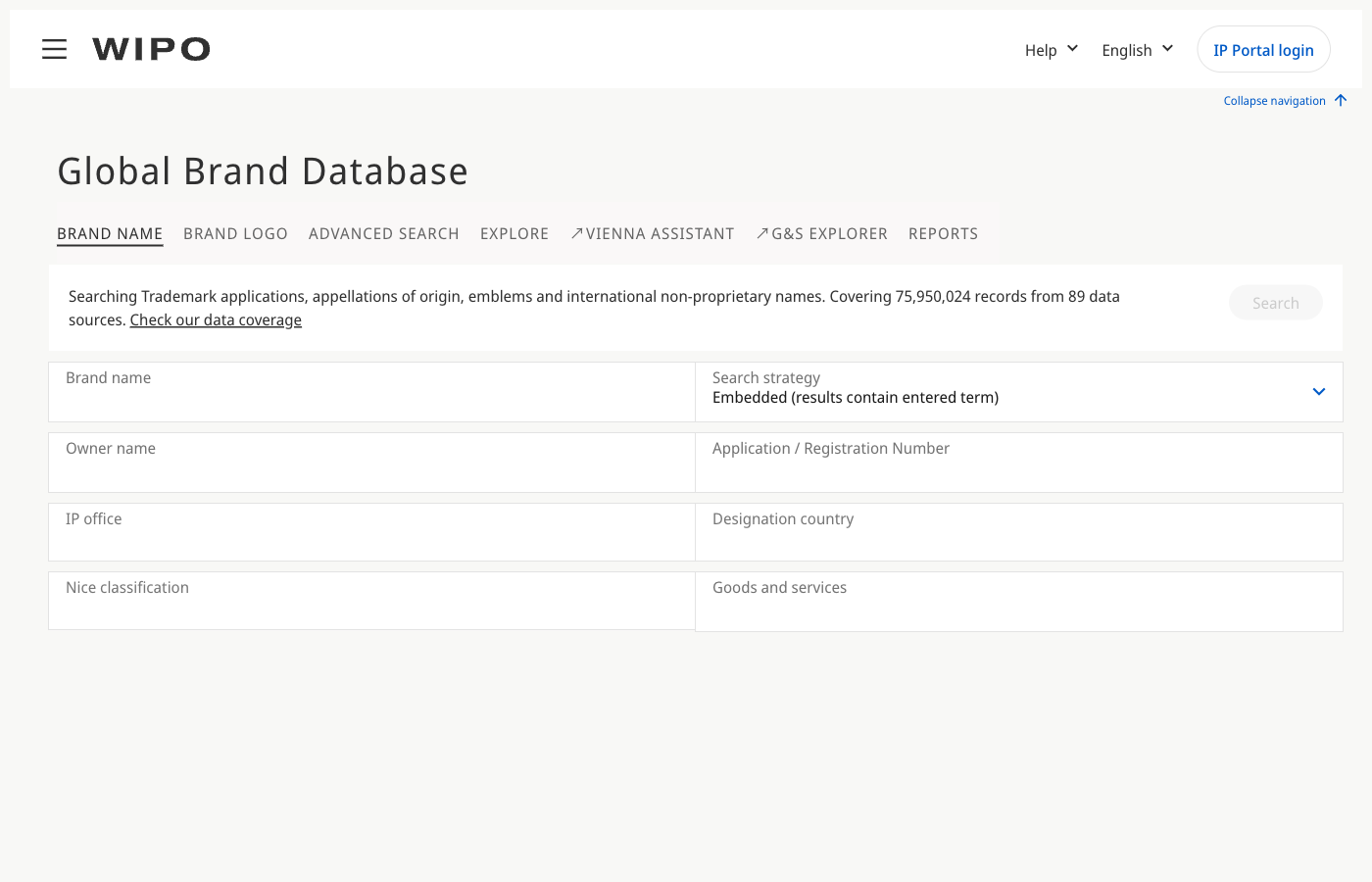
The WIPO Global Brand Database search interface at branddb.wipo.int, showing fields for brand name, search strategy, owner name, IP office, designation country, Nice classification, and goods and services.
Here's how to use it effectively.
Step 1: Search by brand name
Enter your proposed mark in the search field. By default, the database searches for exact text matches. This is not enough. Switch to the Similar search mode, which finds marks that are phonetically or visually close to your term, even with different spellings. "ZENITH" would catch "ZENIF," "XENITH," and similar variations.
Always run a Similar search first. Exact-match searches miss the conflicts most likely to block you, because trademark examiners evaluate phonetic and visual similarity, not just spelling.
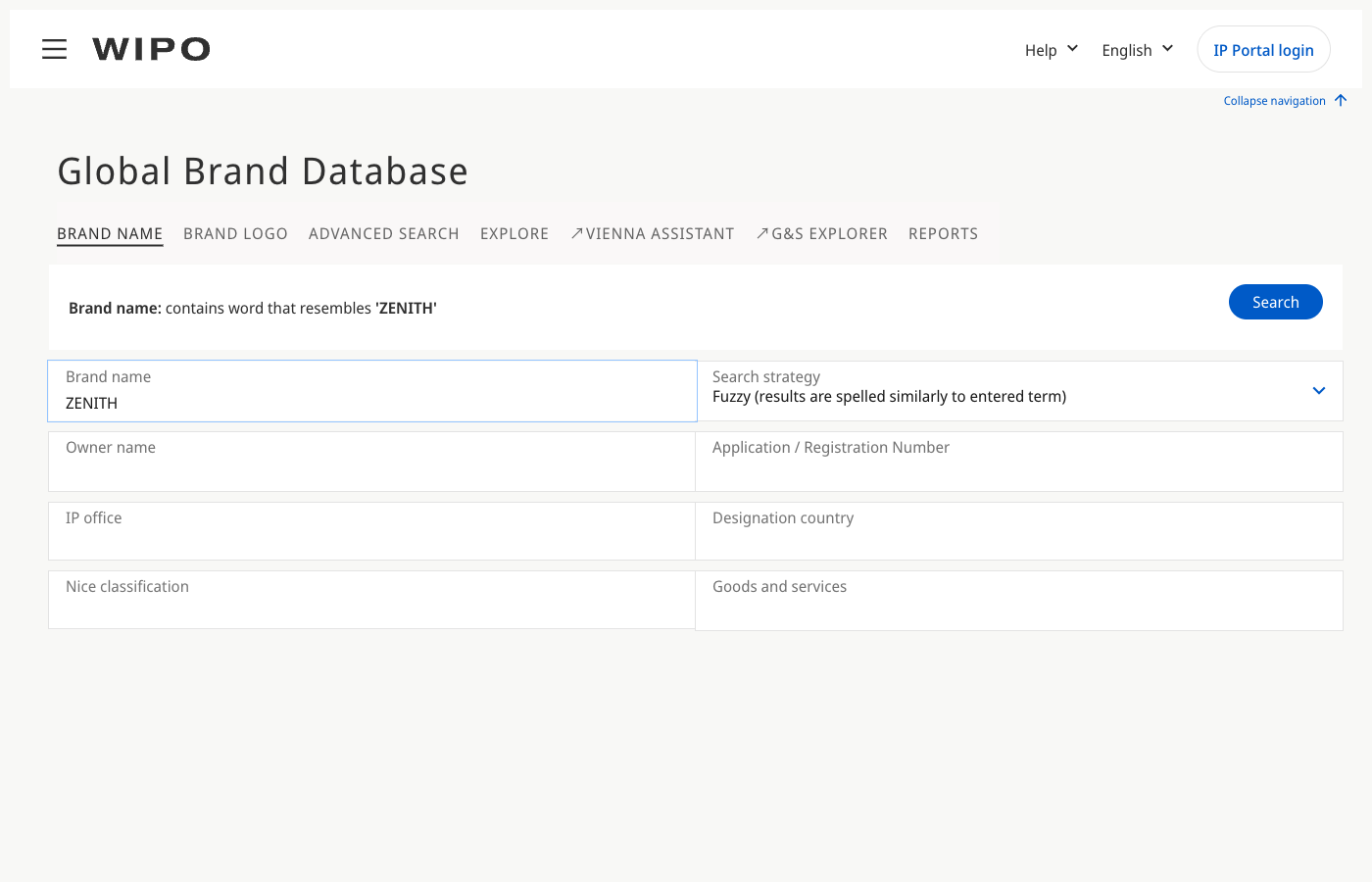
A search for "ZENITH" using the Fuzzy search strategy in the Global Brand Database. The fuzzy option finds marks spelled similarly to the entered term.
Step 2: Filter by designated country
This is where the Global Brand Database differs from national registers. An international registration lists "designated countries," the countries where the applicant wants protection. You can filter results to show only marks designating a specific country.
The distinction between origin country and designated country matters. Origin country is where the base mark was filed (the applicant's home office). Designated country is where the applicant is seeking protection through the Madrid System. If you're expanding into Japan, filter by Japan as a designated country, not as an origin country.
Step 3: Filter by Nice class
Nice classification is the international system for categorizing goods and services into 45 classes. Class 9 covers software. Class 25 covers clothing. Class 42 covers software development services.
Always filter by class. A search for "ZENITH" across all classes returns results in watchmaking, electronics, insurance, and dozens of other categories. Most won't be relevant to your goods or services.
But check related classes too. If you're filing for software (Class 9), also search Class 42 (SaaS and development services) and Class 35 (online retail). Research and technology is the top sector for Madrid filings, accounting for 22% of all classes filed.
Step 4: Filter by status
Focus on active marks first: registered, pending, and provisionally refused (still in process). These are the ones that can create conflicts. Expired or cancelled marks are lower priority but worth noting, especially if they expired recently.
Step 5: Search by holder
If you know a specific company might own relevant international marks, search by holder name. This is useful for competitive research or for checking whether a conflict you found in a national database also has international coverage.
Step 6: Search by registration number
If you have a specific WIPO registration number (format: 123456), enter it directly to pull up the full record with all designations, classes, and status details.
Step 7: Use image search
For figurative marks (logos), the Global Brand Database offers image search based on the Vienna classification system. Upload an image or describe the visual elements to find marks with similar designs. This is less precise than text search but catches conflicts that a name search would miss entirely.
Reading Your Search Results
A fuzzy search for "ZENITH" returns 2,256 results, including variations like ZENIT7, Xénith, ZENITHS, and ZÊNITE. Each result shows the mark name, owner, Nice class, IPR type, country of filing, status, and registration number. The Filters panel on the left lets you narrow by designation country, Nice class, status, IP office, and more.
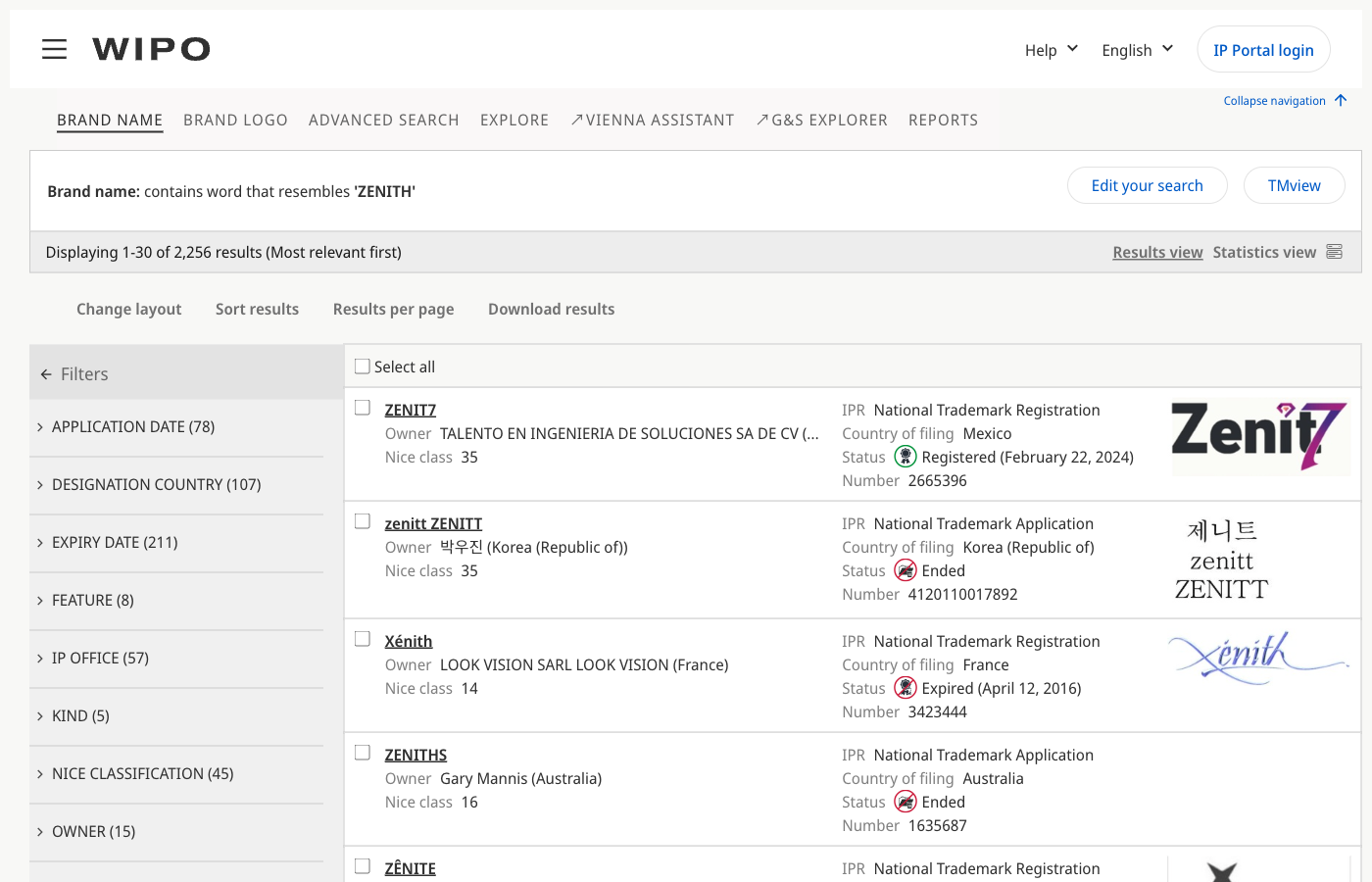
Search results for "ZENITH" in the Global Brand Database with the Filters panel expanded, showing filter options for designation country, Nice classification, status, and IP office.
Each result includes several fields. Knowing which ones matter, and what they actually mean, saves you from the most common misreading.
Status. The status shown in the Global Brand Database reflects the international registration's status at WIPO, not its status in each designated country. Key statuses:
- Active means the international registration is current at WIPO. It does not mean protection has been granted in every designated country.
- Expired means the registration was not renewed. The mark is no longer protected anywhere through the Madrid System.
- Provisionally refused means at least one designated country has raised an objection. The registration might still be active in other countries.
Designated countries. The list of countries where the applicant sought protection. This is the most misread field. "Designated" means protection was requested, not necessarily granted. Each country's national office examines the designation independently. A mark can be designated in 20 countries and refused in 5 of them.
How to check whether protection was actually granted: verify at the national level. The Global Brand Database shows whether a designation exists but doesn't always reflect the final outcome of each country's examination. For any country that matters to your filing, check that country's national register directly.
Nice classes. Shows the goods and services covered. Compare these to the classes you plan to file in, including related classes that might create a conflict.
Holder. The current owner of the international registration. Useful for assessing enforcement likelihood and for tracing whether the same holder owns related marks in other classes.
Filing and registration dates. Earlier dates establish priority. If someone designated your target country before your planned filing date in the same or related class, their mark takes precedence.
Dependency on base mark. Every Madrid registration depends on a "base mark" in the applicant's home country for the first five years. If that base mark is cancelled or restricted during the dependency period, the international registration can be affected. This is the central attack vulnerability (more on this below).
The Madrid Protocol Explained
The Madrid Protocol is the treaty that makes the Madrid System work. Understanding it changes how you read WIPO search results.
Here's the basic structure: instead of filing separate trademark applications in each country where you want protection, you file one international application through WIPO. You list the countries (called "designated contracting parties") where you want protection. WIPO performs a formalities check, registers the mark, and notifies each designated country. Each country then examines the designation under its own trademark law and decides whether to grant or refuse protection.
One application, up to 131 countries. That's the appeal.
But there's a catch. Every international registration must be based on an existing trademark application or registration in your home country. This is the "base mark." For the first five years, the international registration depends on the base mark. If the base mark is cancelled, refused, or restricted during those five years (through opposition, non-use cancellation, or any other reason), the corresponding international designations can be cancelled too. This is called central attack, and it's the single biggest risk in the Madrid System.
After the five-year dependency period, the international registration becomes independent. Central attack no longer applies.
Why this matters for your WIPO search: if you find an international registration that's less than five years old, the owner may be vulnerable. Their base mark could be challenged, which would take down all their international designations. Conversely, a registration that's survived past the five-year mark is more secure.
In 2024, approximately 65,000 international applications were filed through the Madrid System, a 1.2% increase year-over-year and a return to growth after two years of decline. The top filing origins were the United States (11,270), Germany (6,449), China (5,828), France (4,211), and the United Kingdom (3,736).
84.7% of all applications were filed in English, and 87.9% were filed electronically.
The UK received the most designations in 2024 (28,877), narrowly ahead of the EU (28,809). If you're expanding into either market, expect a dense field of international registrations alongside the national marks covered in the UK trademark search guide and European trademark search guide.
5 Common Mistakes in International Trademark Searches
1. Assuming WIPO registration means protection everywhere
This is the mistake from the opening paragraph, and it's the most consequential. An active international registration at WIPO means the applicant sought protection in their listed countries. It does not mean every country granted it. Each designated office examines the mark independently. A mark can be active at WIPO and refused in the countries you care about. Always verify at the national level.
2. Searching only the Global Brand Database and missing national marks
The Global Brand Database is comprehensive for international registrations but doesn't replace national searches. Marks filed directly with national offices (not through the Madrid System) won't appear. If you're entering a specific market, search that country's national register in addition to WIPO. For the UK, use the UKIPO database. For Canada, use CIPO. For the EU, use EUIPO's eSearch plus.
3. Not checking whether designations were accepted
You find a mark designated in your target country and assume it's protected there. Maybe, maybe not. The designation might have been refused, or it might still be under examination. The Global Brand Database shows that a designation exists but doesn't always reflect the final national decision. Check the national register to confirm.
4. Ignoring related Nice classes
You search your mark in Class 9 (software) and find nothing. But you didn't check Class 42 (SaaS), Class 35 (online retail), or Class 38 (telecommunications). Trademark conflicts cross class boundaries when the goods and services are related. The Nice classification system has 45 classes, and examiners consider relatedness between them.
5. Treating a clear WIPO search as an all-clear
A clean Global Brand Database result means no conflicting international registrations. It says nothing about purely national marks, common law rights, or pending applications filed between your search date and your filing date. A WIPO search is one layer of a thorough clearance process, not the entire process. Treat your results as strong evidence, not a guarantee.
Beyond the Global Brand Database
A WIPO trademark search covers international registrations. A proper clearance search goes wider.
National office databases. For any country you're targeting, search that country's national register directly. The Global Brand Database won't cover marks filed only at the national level. This guide is the fourth in a series covering major offices: the UK (UKIPO), Canada (CIPO), and the EU (EUIPO) each have their own free search tools and their own quirks.
TMview. Run by EUIPO, TMview aggregates data from 70+ trademark offices into one search. Particularly useful for European coverage, where national marks in Germany, France, Italy, and other member states sit alongside EUTMs. Free at tmdn.org/tmview.
When to search WIPO vs. national vs. both. If you're filing through the Madrid System, start with the Global Brand Database, then search each designated country's national register. If you're filing directly in a single country, search that country's register first, then WIPO (because an existing international designation could cover that country too). For full international clearance, search everything.
API-based clearance. If you're building trademark search into a product or running clearance at volume, manual searches across multiple databases don't scale. Signa indexes 7.8 million WIPO records with weekly sync, alongside data from 9 other offices, for multi-office search in a single request.
curl -G "https://api.signa.so/v1/trademarks" \
  -H "Authorization: Bearer $SIGNA_API_KEY" \
  --data-urlencode "q=ZENITH" \
  --data-urlencode "offices=wipo" \
  --data-urlencode "nice_classes=9,42"
const signa = new Signa({ api_key: process.env.SIGNA_API_KEY });

const results = await signa.trademarks.list({
  query: 'ZENITH',
  filters: {
    offices: ['wipo'],
    nice_classes: [9, 42],
  },
});
Both examples search WIPO records for marks similar to "ZENITH" in Classes 9 and 42. Swap offices to search multiple jurisdictions in a single request.
Madrid Protocol Filing Costs and Timeline
If your search comes back clear and you're considering an international filing through the Madrid System, here's what it costs and how long it takes.
Basic fee (10-year term, up to 3 classes):
- Black and white mark: 653 CHF
- Color mark: 903 CHF
Additional fees:
- Each extra class beyond 3: 100 CHF
- Each designated country (standard fee): 100 CHF
Some countries set their own "individual fees" instead of using the standard 100 CHF rate. These vary widely. Use the WIPO fee calculator at madrid.wipo.int/feecalcapp to get an exact total for your specific combination of classes and countries.
Madrid Protocol Basic Filing Fee: B&W vs Color Mark (10-Year Term, Up to 3 Classes)
For context on how Madrid costs compare to direct national filings, see the UK filing costs, Canada filing costs, and EU filing costs in the earlier guides. The full cost breakdown across offices covers single-country vs. multi-country cost comparisons.
Timeline:
The Madrid filing process has two phases. First, WIPO performs a formalities examination (checking that your application is complete and the fees are paid). This takes approximately 2-3 months. Second, WIPO notifies each designated country, which then has 12 or 18 months (depending on the country) to examine and either accept or refuse the designation. Total realistic timeline: 12-18 months for most designations.
Remember: you must have a base mark (application or registration) in your home country before filing through the Madrid System. If that base mark fails within the first five years, all your international designations are at risk through central attack. Many trademark attorneys recommend waiting until the base mark is registered before filing internationally, though this isn't required.
Your Next Steps
Here's the practical sequence for running a thorough WIPO trademark search:
- Search the Global Brand Database at branddb.wipo.int using the Similar/fuzzy mode, filtered to your relevant Nice classes and target countries.
- Check related classes, not just your primary one.
- For every conflicting mark you find, verify at the national level whether the designation was actually accepted in your target country.
- Search each target country's national register for purely national marks the Global Brand Database won't cover.
- If your target countries include the UK, EU, or Canada, use the dedicated guides for each: UK, EU, Canada.
- If you find potential conflicts, consult a trademark attorney before filing. If the search looks clear, file promptly to secure your filing date.
For API-based clearance across WIPO and 9 other offices, Signa's trademark search indexes 7.8 million WIPO records with weekly sync.
A thorough international trademark search takes effort, but skipping it is how companies end up with a mark that's active at WIPO and refused where it matters. The search is the cheapest part of the process.
Consult a trademark attorney for legal guidance specific to your situation. This guide explains the process and the tools available, but it's not a substitute for professional legal advice.