
If you used the TESS trademark search system at the USPTO any time in the last two decades, you're not alone. The Trademark Electronic Search System was the tool. Every attorney, paralegal, and startup founder who ever checked whether a name was taken typed a query into that interface.
Then, on November 30, 2023, the USPTO retired it.
If you've gone back to your old TESS bookmark recently, you found a redirect. The search syntax you memorized doesn't apply anymore. But most people haven't realized yet that the replacement landscape is actually better than what TESS offered. More options, cleaner tools, and for the first time, viable programmatic access to trademark data across multiple countries.
This guide covers every current option for searching trademarks: the USPTO's replacement system, global databases, and API-based tools. By the end, you'll know exactly which tool fits your specific use case.
What Happened to TESS
The TESS trademark search system launched in February 2000. It was built on the Bibliographic Retrieval System (BRS), an infrastructure layer that had been running since 1993. For 23 years, TESS was the primary way the public searched the USPTO's trademark database.
It worked. But it was aging. The system suffered from bandwidth limitations and frequent timeouts during peak usage. The database had grown to over 11.5 million trademark records, straining an architecture designed for a fraction of that load. When a key backend programmer announced their retirement, the USPTO faced a decision: overhaul the foundation or build something new.
They chose to build something new.
The USPTO replaced TESS with a cloud-based system called Trademark Search, accessible at tmsearch.uspto.gov. The transition happened on November 30, 2023. Old TESS URLs now redirect to the new system.
If you had TESS bookmarked, saved search templates, or trained staff on TESS query syntax, all of that needs updating. The new system is genuinely better in several ways. But you need to relearn some things.
The USPTO's New Trademark Search System
The replacement system offers two modes: Basic Search and Advanced Search. Which one you should use depends on whether you're doing a quick check or a serious clearance search.
Basic Search
The Basic Search interface is designed for non-specialists. You pick a field from a drop-down menu (Wordmark, Owner, Serial Number, etc.), type your query, and get results. No search syntax to learn. No Boolean operators.
For a founder checking whether a startup name has obvious conflicts, Basic Search is sufficient. Type the name, scan the results, see if anything active shows up in a relevant Nice classification class.
Advanced Search
Practitioners should skip Basic Search entirely and use the Advanced Search with its Expert Mode, Field Tag, and Search Builder features. This is where the real power lives.
The new system uses industry-standard search syntax with Boolean operators (AND, OR, NOT), field tags for targeting specific data fields, truncation operators, and proximity searching. The Search Builder tool helps you construct complex queries without memorizing every field code.
Key improvements over TESS:
- No more timeouts. The cloud-based architecture handles the full 11.5 million records without the session drops that plagued TESS during high-traffic periods.
- Cleaner interface. Results are easier to scan. The visual design is modern.
- Better search construction. The Search Builder is a genuine step forward for building multi-field, multi-operator queries.
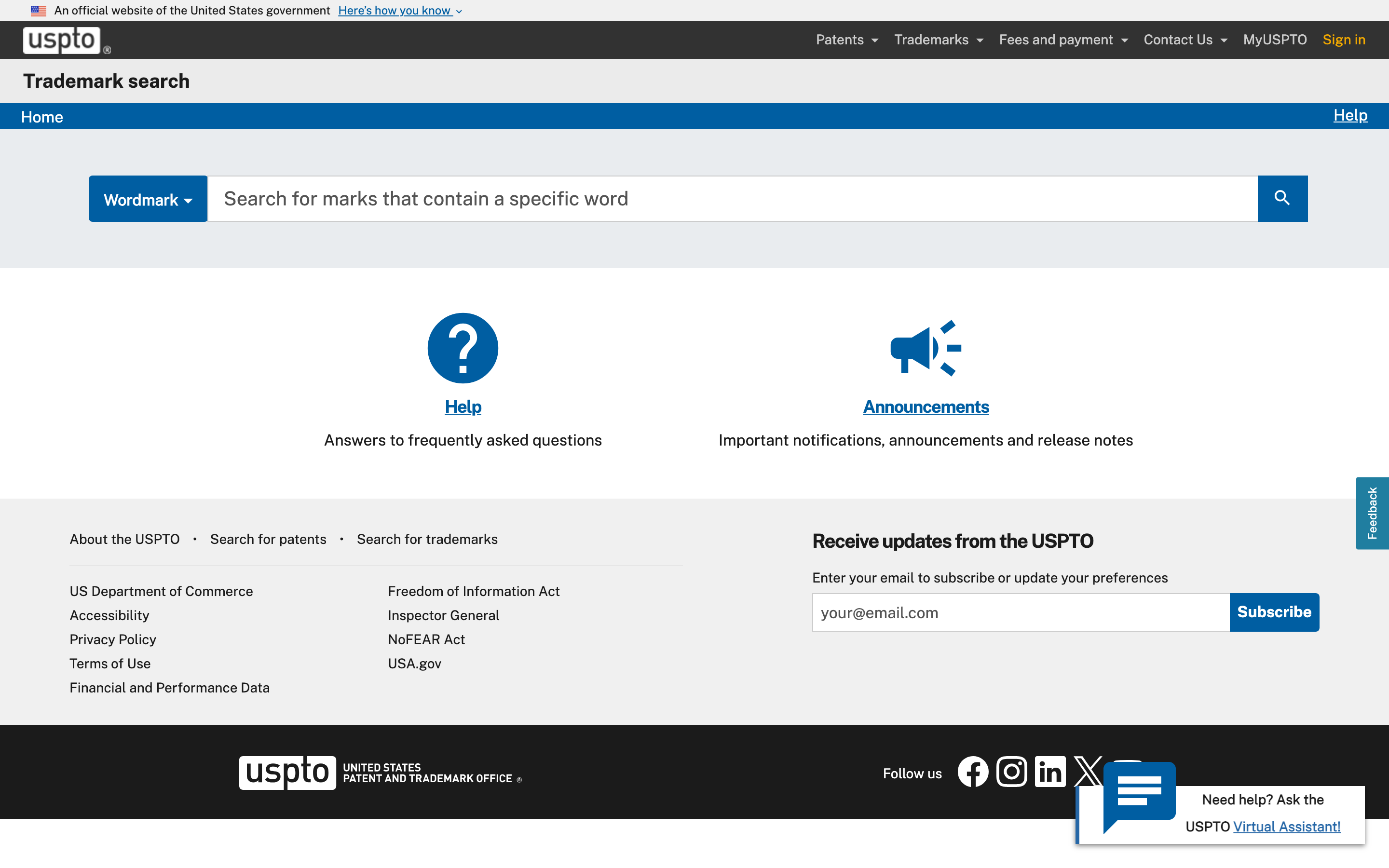
The USPTO's new Trademark Search interface at tmsearch.uspto.gov
Where the New System Falls Short
Three limitations matter:
US-only coverage. The USPTO database contains only US trademark filings. If you need to check whether a mark is registered in the EU, Canada, Singapore, or anywhere else, you need a different tool. TESS had the same limitation, but it's worth stating clearly because comprehensive clearance always requires multi-jurisdictional search.
No API access. The new system has no public API. The USPTO offers bulk data downloads (raw XML files through the Open Data Portal), but there is no REST API for real-time search queries. If you were one of the many tools that relied on scraping TESS (and plenty were), that workaround is gone. The new system has anti-bot protections specifically designed to prevent automated access.
New syntax, new habits. If you spent years building TESS muscle memory, the transition requires relearning. The USPTO published a transition handout that maps old TESS search strings to the new syntax. Worth bookmarking.
Beyond the USPTO: Searching Trademarks Globally
TESS only covered US trademarks. The new USPTO system has the same scope. For anyone doing clearance work, international coverage isn't optional. Three free trademark search tools fill the gap.
WIPO Global Brand Database
The World Intellectual Property Organization's Global Brand Database is the broadest free trademark search tool available. It covers over 70 million records from 73 national and regional trademark offices.
You can search by mark text, holder name, Nice class, designation, and more. It supports multiple languages and includes trademarks filed through the Madrid Protocol (the international filing system that lets applicants cover multiple countries with one application).
Best for: broad international screening when you need to check if a mark exists anywhere, not just in the US.
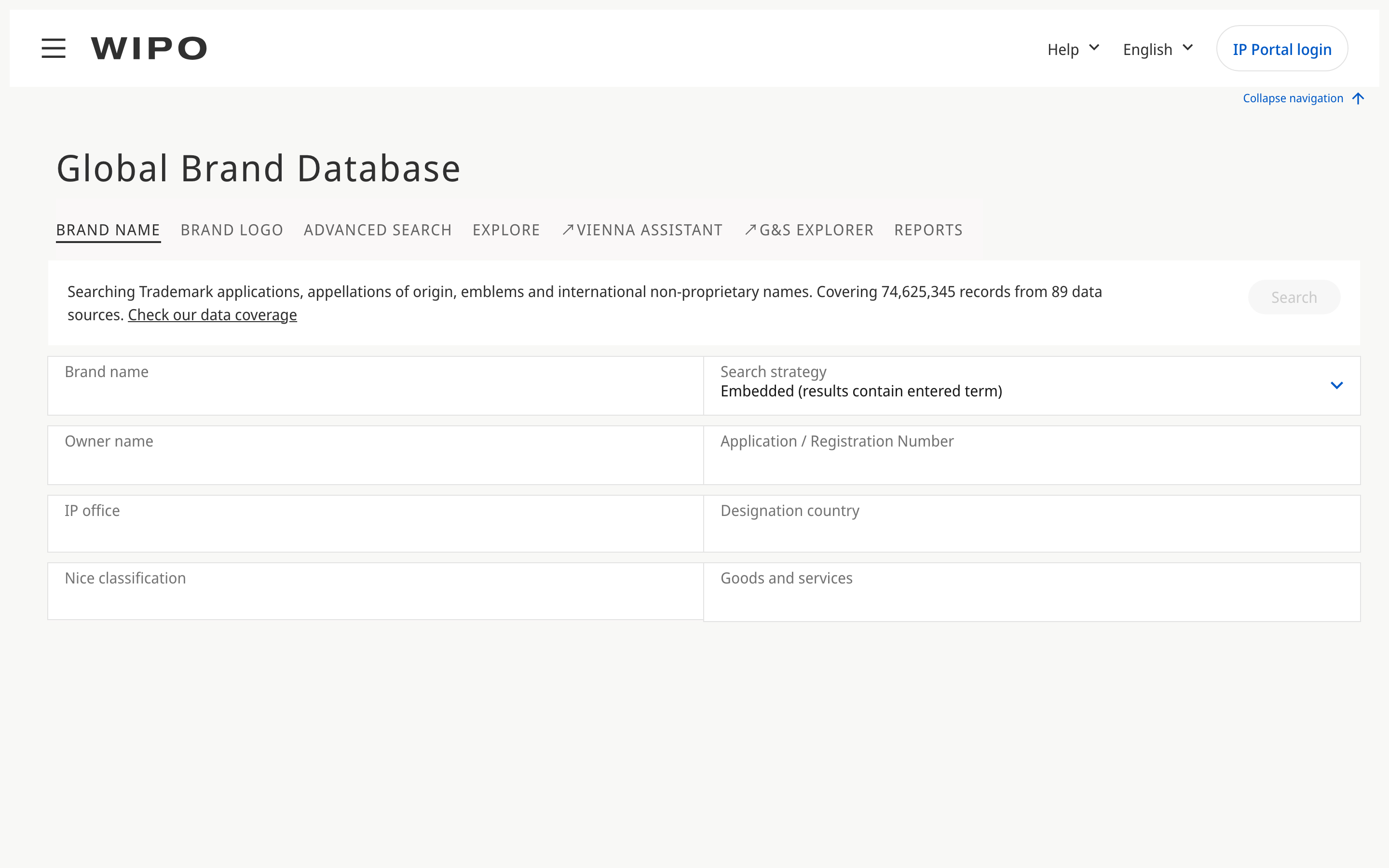
WIPO Global Brand Database, search across 73 offices and over 70 million records
TMview
TMview is managed by EUIPO (the European Union Intellectual Property Office) and covers over 75 million trademarks from EU member states and partner offices. It includes data from national offices across Europe, plus several non-EU offices.
Best for: European clearance searches. If you're filing in the EU or expanding into European markets, TMview gives you the most comprehensive view of marks that could conflict.
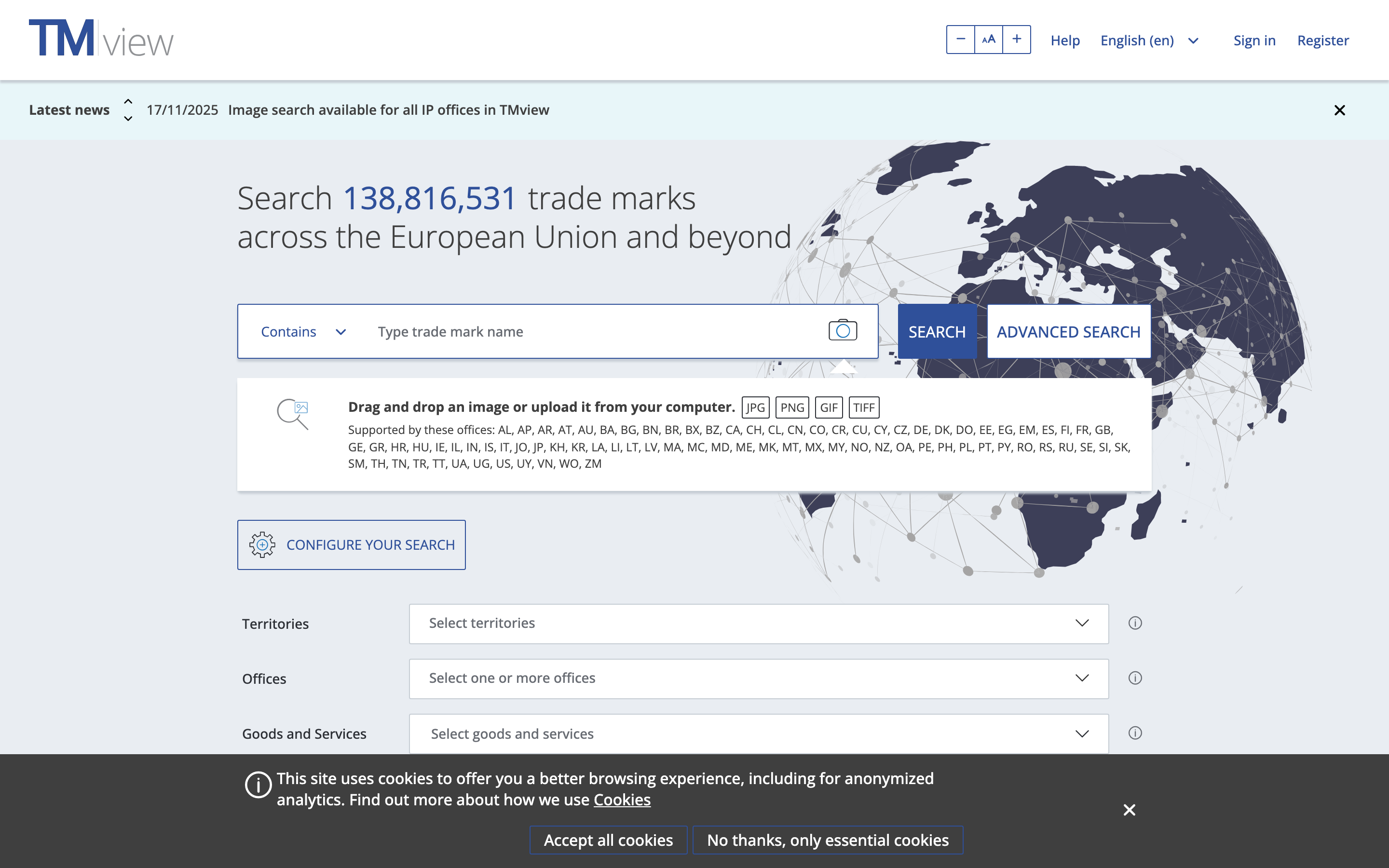
TMview, search over 138 million trade marks across the EU and beyond
National Office Databases
Individual offices maintain their own search tools: EUIPO's eSearch plus for EU trademarks, CIPO's Canadian Trademarks Database, IPOS for Singapore, and dozens more. Each covers a single jurisdiction with the deepest available data for that country.
Best for: targeted deep searches when you know which specific jurisdiction matters.
The Gap
No single free tool searches all major offices at once. A comprehensive trademark clearance search (the kind an attorney does before filing an application) typically requires checking the USPTO system, the WIPO database, TMview, and possibly individual national office databases. That's four or more interfaces, four different search syntaxes, four sets of results to reconcile.
For a one-time check, that's manageable. For a company that runs clearance searches regularly, or a developer building a product that includes trademark search, it's a workflow problem.
API-Based Trademark Search
If you're building software that needs trademark data (a filing platform, a brand monitoring service, a marketplace compliance tool, a clearance workflow), the web interfaces described above aren't a viable foundation. You need programmatic access.
The Post-TESS API Landscape
TESS was never designed for programmatic use, but it was technically scrapeable. A significant number of legaltech tools, clearance services, and internal company tools relied on scraping TESS as a de facto API. That approach had obvious fragility: the system wasn't designed for it, results were inconsistent, and any layout change broke scrapers. But it worked well enough that an ecosystem depended on it.
The new USPTO system closed that door. Anti-bot protections make automated access impractical. The USPTO's Open Data Portal offers bulk data downloads (raw XML files of trademark records), but parsing, normalizing, and indexing that data is a substantial engineering project, not a quick integration.
The API Alternative
Several services now offer trademark data through REST APIs, normalizing records from multiple offices into queryable endpoints. This is the approach that didn't meaningfully exist when TESS was the only game in town.
Signa, for example, indexes data from 5+ offices (USPTO, EUIPO, WIPO, CIPO, IPOS) into a single normalized schema. A single API call searches across offices with multiple matching strategies.
The canonical endpoint is POST /v1/trademarks/search. The query text goes in the top-level query field, and all faceted filters (offices, Nice classes, dates, status) live nested under filters. Strategies default to all four (exact, phonetic, fuzzy, prefix) if omitted.
curl -X POST https://api.signa.so/v1/trademarks/search \
  -H "Authorization: Bearer $SIGNA_API_KEY" \
  -H "Content-Type: application/json" \
  -d '{
    "query": "ACME",
    "strategies": ["exact", "phonetic"],
    "filters": {
      "offices": ["uspto", "euipo", "wipo"],
      "nice_classes": [9, 42],
      "status_primary": "active"
    },
    "options": {
      "include_total": true
    },
    "limit": 20
  }'
const results = await signa.trademarks.search({
  query: 'ACME',
  strategies: ['exact', 'phonetic'],
  filters: {
    offices: ['uspto', 'euipo', 'wipo'],
    nice_classes: [9, 42],
    status_primary: 'active',
  },
  options: { include_total: true },
  limit: 20,
});

console.log(
  `Found ${results.search_meta.total_results} results in ${results.search_meta.execution_time_ms}ms`,
);

for (const tm of results.data) {
  console.log(
    `${tm.mark_text} [${tm.office_code}] Class ${tm.nice_classes.join(', ')} (${tm.status_primary})`,
  );
}
If you just need a quick search without a request body, there is also a GET /v1/trademarks/search endpoint that accepts the same filters as query parameters. Arrays use comma-separated values (offices=uspto,euipo), date ranges use flat underscore operators (filing_date_gte=2020-01-01), and the text query is the short q parameter (not query):
curl -H "Authorization: Bearer $SIGNA_API_KEY" \
  "https://api.signa.so/v1/trademarks/search?q=ACME&offices=uspto,euipo&nice_classes=9,42&limit=20"
The GET form is convenient for shell one-liners and simple integrations. Aggregations, highlights, and the query profiler are POST-only because they rely on the richer options object.
Three things this enables that TESS never could:
-
Multi-office search in one call. Instead of checking the USPTO, then WIPO, then EUIPO separately, you get results from all connected offices in a single response.
-
Multi-strategy matching. Exact, phonetic (Double Metaphone), and fuzzy matching run simultaneously. Phonetic matching catches conflicts that string matching misses: "ACME" vs "AKME" vs "ACMEE."
-
Nice class filtering. Scope results to relevant goods and services categories. Without class filtering, a search for a common word returns thousands of results. With it, you get the subset that actually matters for your use case.
Other API providers exist in this space, including Marker API (US trademarks) and TMSearch.ai. The key question when evaluating any trademark API is coverage (which offices?), data freshness (how quickly do new filings appear?), and search capabilities (phonetic? fuzzy? visual similarity?).
Choosing the Right Search Tool
The right tool depends on what you're trying to do.
| Tool | Coverage | Cost | API Access | Multi-Office |
|---|---|---|---|---|
| USPTO Trademark Search | US (~11.5M records) | Free | No | No |
| WIPO Global Brand Database | 73 offices (~70M records) | Free | No | Yes |
| TMview | EU + partners (~75M records) | Free | No | Yes |
| Signa API | 5+ offices (~15M records) | Free tier + paid | Yes | Yes |
Trademark Records by Search Tool
Quick name check
You're a founder naming a startup and want to know if there's an obvious conflict. Use the USPTO Basic Search for US marks and WIPO Global Brand Database for a broad international scan. Takes 10 minutes. Costs nothing.
Comprehensive clearance
You're an attorney running a clearance search before filing an application for a client. Use USPTO Advanced Search (Expert Mode), WIPO, and TMview. Consider supplementing with an API for efficiency, especially if you run multiple searches per week. The manual approach across multiple databases is thorough but time-intensive.
Building a product
You're a developer building a legaltech platform, an e-commerce compliance tool, or a brand protection service that needs trademark search as a feature. The web interfaces won't work. You need an API. Evaluate based on your coverage requirements, query volume, and budget.
Ongoing protection
You've already launched and want to catch new filings that could conflict with your brand. A one-time search, no matter how thorough, is a snapshot. New trademarks are filed every day. The USPTO alone receives over 765,000 applications per year. You need trademark monitoring, not just search.
If You Relied on TESS, Do This Now
Five concrete steps to update your trademark search workflow:
1. Bookmark the new system. The USPTO's Trademark Search lives at tmsearch.uspto.gov. Update your bookmarks, documentation, and any internal guides that reference TESS.
2. Learn the new syntax. Download the USPTO's transition handout that maps TESS search strings to the new system's syntax. The logic is similar; the specific codes are different.
3. Add international coverage. If your clearance workflow was US-only because TESS was your only tool, now is the time to add WIPO Global Brand Database and TMview. Trademark conflicts don't stop at borders.
4. Evaluate programmatic options. If you or your team relied on scraping TESS for automated workflows, that door is closed. Assess whether an API meets your needs. The upfront integration work pays off in reliability: no more broken scrapers after layout changes.
5. Set up monitoring. Search is a snapshot. Monitoring is a subscription. A mark that was clear six months ago may not be clear today. Continuous trademark monitoring catches new filings as they happen.
Consult a trademark attorney for legal guidance specific to your situation. Search tools (the USPTO's system, international databases, APIs) provide data. A qualified attorney evaluates the legal risk.
Search Trademarks Across Offices with One API Call
Signa's trademark search API covers 5+ offices in a single, normalized endpoint. Exact, phonetic, and fuzzy matching. Nice class filtering. Free tier available at signa.so.
Signa provides trademark data and search tools for informational purposes. For legal advice on trademark clearance, filing, or disputes, consult a qualified trademark attorney.